The ideal type of QR code depends on the information you want to share and the action you hope to achieve after the scan. Some open a website instantly; others store data directly, such as a Wi-Fi network or a contact card. Explore this guide to choose the perfect alternative for your business.
QR code for applications
Make it easier to download your mobile app by automatically directing them to the corresponding store (Google Play or App Store). Place it on your packaging, advertisements or signage so that your users can install your application on their phone instantly and without searching for it manually.
QR code for audio
Let them listen to recordings, podcasts, guided explanations or voice notes with a simple scan. It is the perfect option to accompany samples in museums, tourist tours, educational material or interactive experiences directly on their devices.
QR code for email
Allow your customers to send you an email instantly by simply scanning the code. You can leave a preconfigured subject or message ready to request quotes, reservations or inquiries directly and orderly in your inbox.
QR code for payment links
Make it easy to charge for your products or services with a simple scan. It is ideal for adding to printed quotes, counters or deliveries: your customers scan the code, review the amount on the payment platform you use and complete the operation instantly and with total security.
QR Code for Events
Facilitates entry and the organization of your events with a single scan. It is ideal for invitations, printed tickets, conferences or parties: it allows your attendees to save the date on their calendar and have all the information at hand.
QR code for Facebook
Share your business page, an important post, or an upcoming event directly. Place it on your brochures, posters or counters so that your clients can find you, give their opinion and follow your news without having to search for you by hand on the social network.
QR code for Google Docs
Take your users directly to text documents, guides, contracts or shared manuals with a simple scan. Place it on your brochures or printed materials for easy access to detailed information that is updated instantly without wasting extra paper.
QR code for Google Drive
Share entire folders, documents, manuals or work materials quickly with a single scan. It is the ideal solution when you need to gather several files in one place for your clients, students or work team, facilitating direct access from your cell phone.
QR code for Google Forms
It makes it easier to participate in surveys, registrations, raffles or registrations with a simple scan. Place the code on posters, events or brochures so that your customers can fill out forms quickly and directly from their phones, centralizing all responses automatically.
QR code for Google Maps
Guide your customers directly to the exact location of your store, branch or event with a single scan. It is perfect for business cards, invitations or business brochures, making it easy to open the navigation path on your cell phone immediately.
QR code for Google Sheets
Share spreadsheets, price lists, inventories or schedules updated in real time with a single scan. It is ideal for your work team or your clients to access dynamic and organized data directly from their cell phones.
QR code for images and galleries
Share photographs, visual catalogs or entire galleries digitally with a single scan. It is ideal for showing different models of a product, details of a project, dishes from a menu or a portfolio of work directly on your clients' cell phones.
QR Real Estate
Connect your property signs or printed brochures with online technical sheets, virtual tours or scheduling visits. It is the perfect tool for real estate agencies: when a property is sold or rented, you can update the QR destination instantly without having to change the street signs.
QR code for Instagram
Take your customers directly to your profile, a special photo or a reel with a simple scan. It is ideal for adding followers from the thank you cards inside your packages, your labels or your physical location. Connect your brand with your community in seconds!
QR code for Link in bio
Gather all your important links in one place: your social networks, WhatsApp, online store and promotions. It is the perfect solution when a single link is not enough and you want your customers to find everything you have quickly from your product packaging or your business cards.
QR code for LinkedIn
Take your clients or contacts directly to your professional profile or your company page with a single scan. It is the perfect tool for meetings, conferences, business cards or fairs: a quick scan and they will be able to connect with you or know your trajectory instantly.
QR code for digital menu
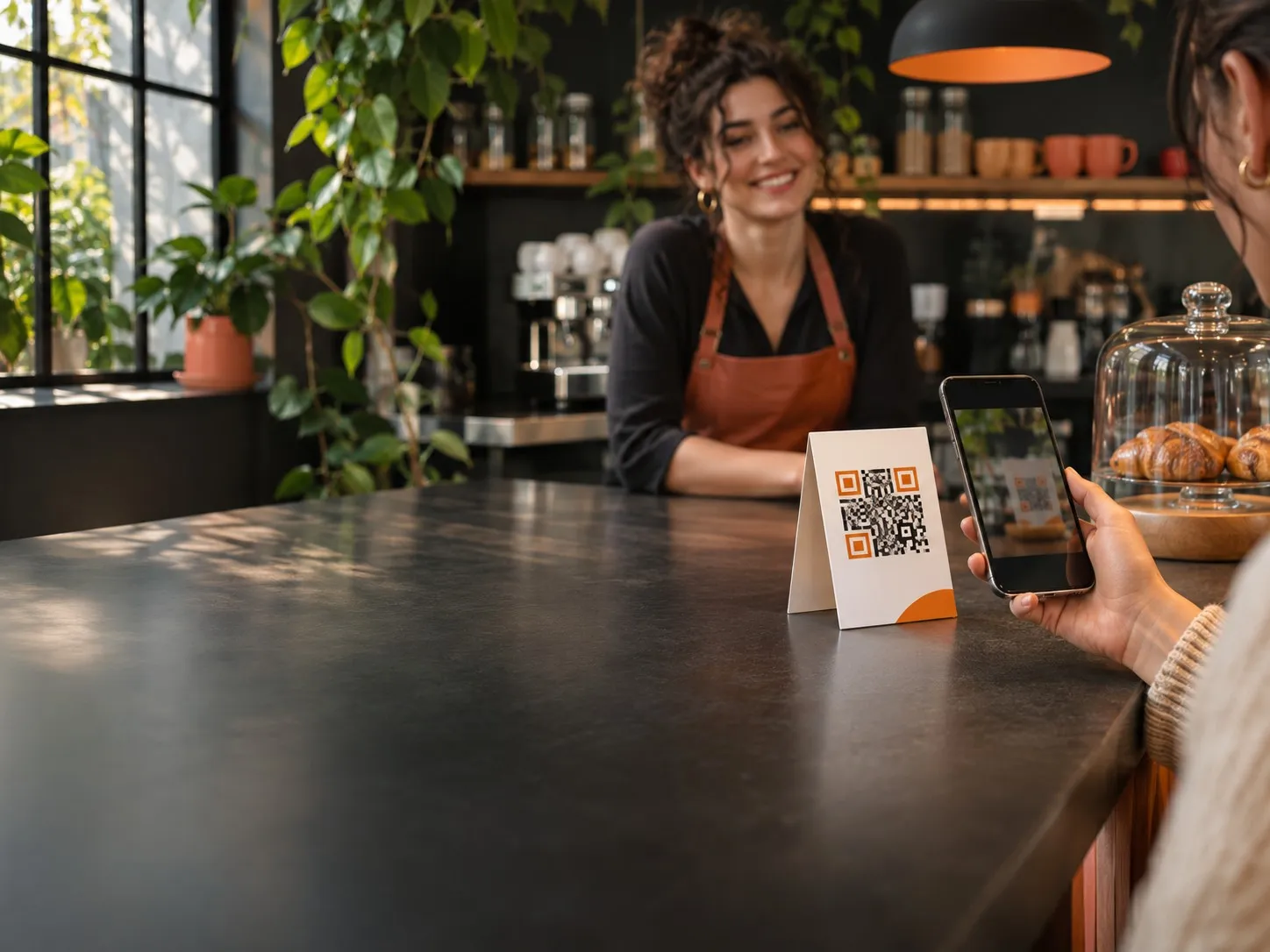
Take your diners directly to the menu of your restaurant, bar or cafeteria by simply pointing your finger. camera. Place it on tables, counters or in your delivery packaging. The best? If you change dishes or prices, you can update the content instantly without having to reprint the codes.
QR code for PDF
I shared product catalogues, menus, user guides or technical sheets digitally and without wasting extra paper. Place the QR code on your products or signs so that any customer can download or read your PDF documents instantly from their phone.
QR code for Google reviews
Make it easy for your customers to leave a review about your business with a simple scan. It is ideal to add to thank you cards, purchase tickets, tables or counters at the end of a service, helping more people share their experience and improve your online reputation.
QR code for website
Take your customers directly to your website, online store, catalog or a special landing page with a single scan. Ideal for adding to labels, brochures or posters. The best? If you change websites or update your link, you can modify the destination instantly without having to reprint your codes.
QR code for SMS
Make it easy to quickly send a text message to your business number with a single scan. It is ideal for service cards, packaging or customer service: the user's phone automatically composes the SMS with the text of your choice and they only have to press "send".
QR code for phone
Directly open the phone dialer with your number already loaded by scanning the code. It is the perfect tool when calling is the fastest way to close a sale, request a quote or coordinate a service. One scan and the customer is calling you!
QR Code for Telegram
Immediately connect your customers with your direct chat, group or Telegram channel. Place it on posters, brochures or cards so that your community can join or write to you instantly safely and directly from their application.
QR code for TikTok
Show your videos, tutorials or behind the scenes in a super agile way. Put your code on containers, stands or packaging so that those who buy your products can see your recipes, demonstrations or the creative process instantly with their cell phone camera.
QR code for vCard or contact card
Share all the information about your business or professional profile (phone, networks, website and address) so that your clients can save it in their contacts instantly. It is perfect for personal cards, credentials or fairs: one scan and your data is saved on your cell phone forever.
QR code for video
Take your customers directly to your explainer videos, service presentations or product demonstrations. Place the code on your packaging, brochures or posters so that anyone can see audiovisual content of your brand instantly by simply pointing the camera.
QR code for WhatsApp
Make it easy for your customers to write to you instantly with a single scan. It is ideal to place in the window of your premises, on the packaging of your products or in your printed catalogues, transforming a buyer's interest into a direct query to your chat quickly and without scheduling numbers.
QR code for Wi-Fi
Allow your clients to connect to your Internet network automatically by simply pointing the camera, without the need to enter complex passwords. It is a super practical tool for cafes, restaurants, hotels, offices and waiting rooms.
QR code for YouTube
Connect your products or physical brochures directly with your videos, tutorials or YouTube channels. It is ideal when a manual or packaging does not have enough space and you want to show an installation video, a recipe or a step-by-step demonstration just by pointing the cell phone camera.